FortiClient EMS 7.4 Observability Guide
Add Grafana access, Prometheus metrics, exporters, SQL-backed dashboards and health checks to the FortiClient EMS 7.4 Docker deployment.
FortiClient EMS 7.4.7 includes Grafana, Loki, Promtail, PostgreSQL, Redis, PgBouncer, Consul and nginx. In the Compose baseline used here, Grafana is not exposed, its PostgreSQL datasources lack the required environment variables, and the bundled dashboards and metrics coverage are limited.
This guide exposes Grafana through EMS nginx, fixes datasource provisioning, and adds Prometheus, exporters, health probes and dashboards. It targets a local PostgreSQL deployment using the 7.4.7.2194 Compose baseline. A docker-compose.override.yml and bind-mounted files keep the observability configuration separate from the vendor files; review the Compose bundle and mounted nginx template for each EMS maintenance release.
The lab deployment started on EMS 7.4.7.2194 and has since been upgraded to EMS 8.0 with the same observability layer. Checks on 2 October 2026 found 15 Prometheus targets up, four internal probes passing, four Grafana datasources returning OK and 13 provisioned dashboards.
The project is FortiClientEMS-DockerDash. Fortinet documents the underlying deployment in the EMS 7.4.7 Docker Compose installation guide. The custom services and configuration live in the Compose override and project directory.
This guide retains the vendor-bundled Promtail container. Upstream Promtail reached end of life on 2 March 2026; check Fortinet’s guidance before replacing it.
Stack Overview
Grafanaathttps://<your-fqdn>/grafana/Lokicollecting logs from the EMS containersPrometheusscraping service, host, container, database, and synthetic metricsfcmandfcm_defaultavailable as working Grafana PostgreSQL datasources- 13 provisioned dashboards:
EMS Fleet OverviewEMS Security PostureEMS Service LogsEMS Stack OverviewEMS Host HealthEMS Reverse ProxyEMS DatastoresEMS Control PlaneEMS ContainersEMS OperationsEMS Admin & LicensingEMS Policies & ZTNAEMS Software Inventory
Dashboard Gallery
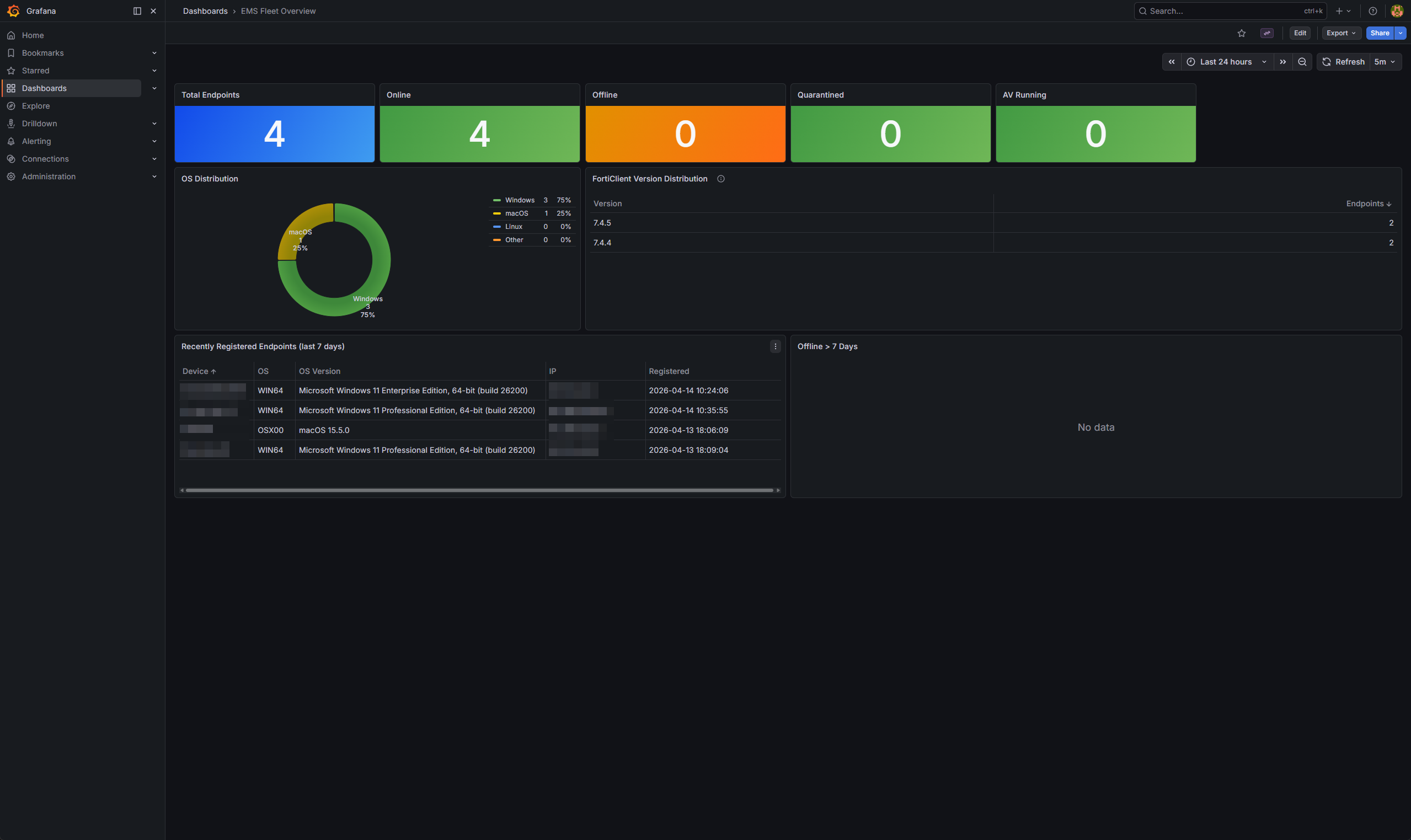
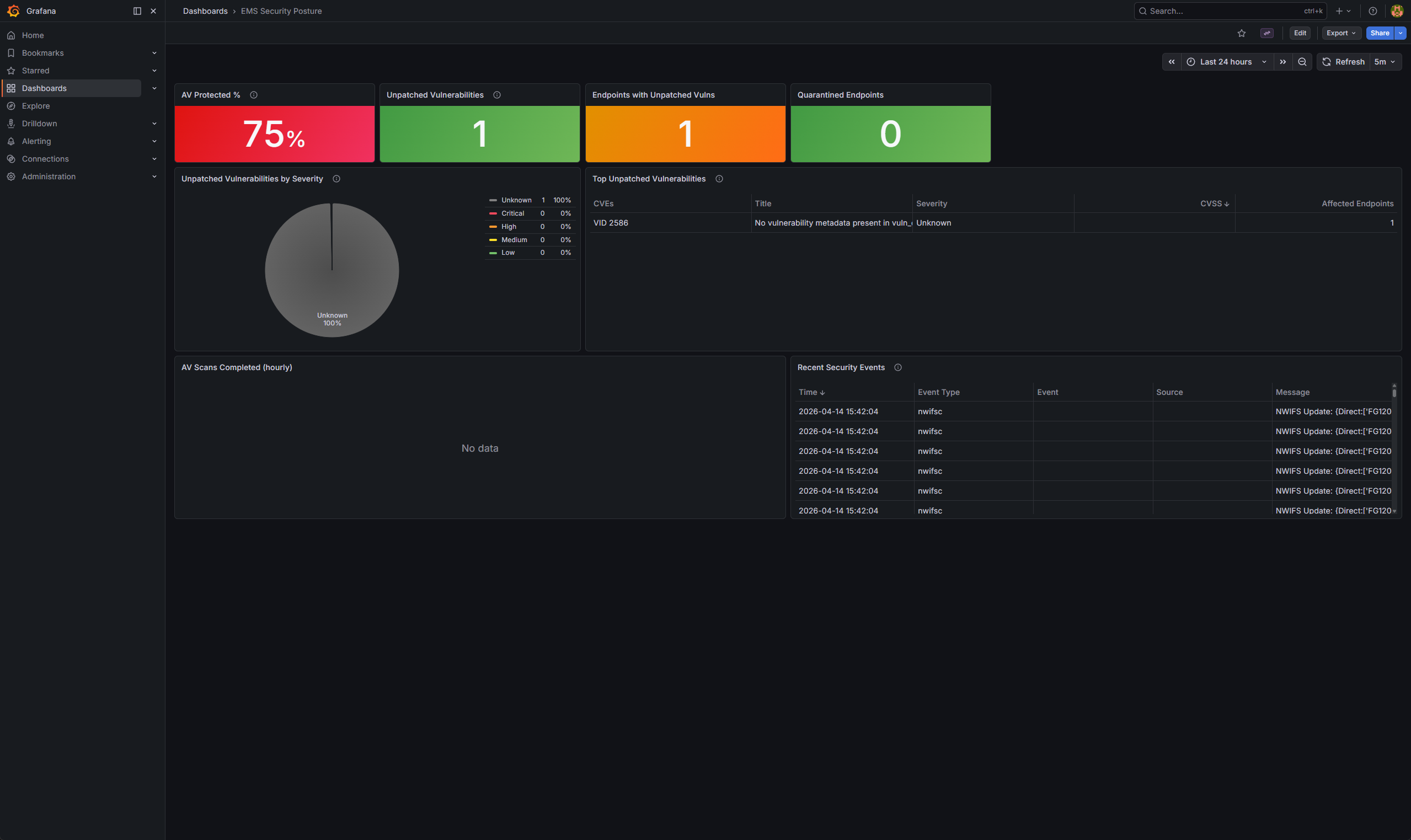
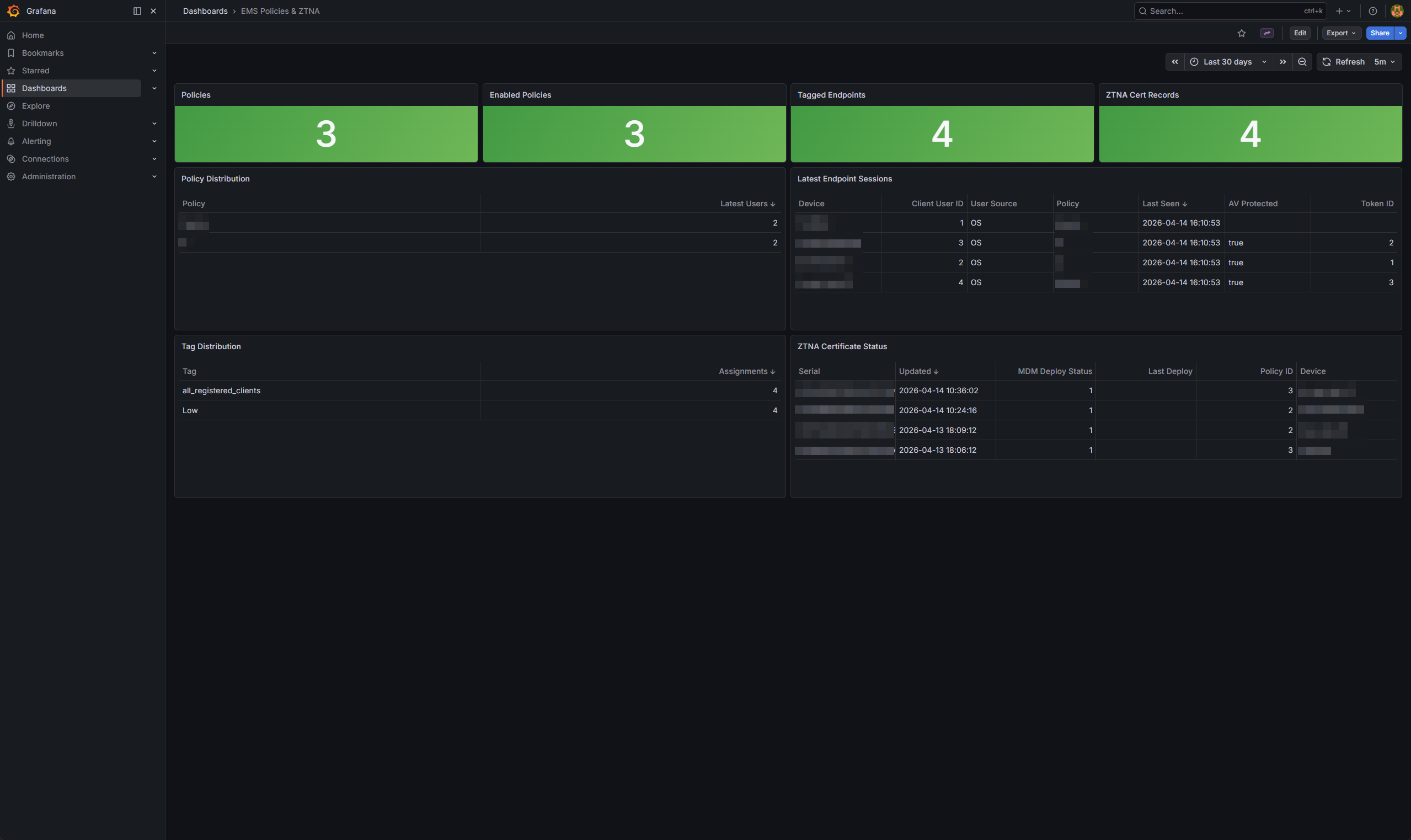
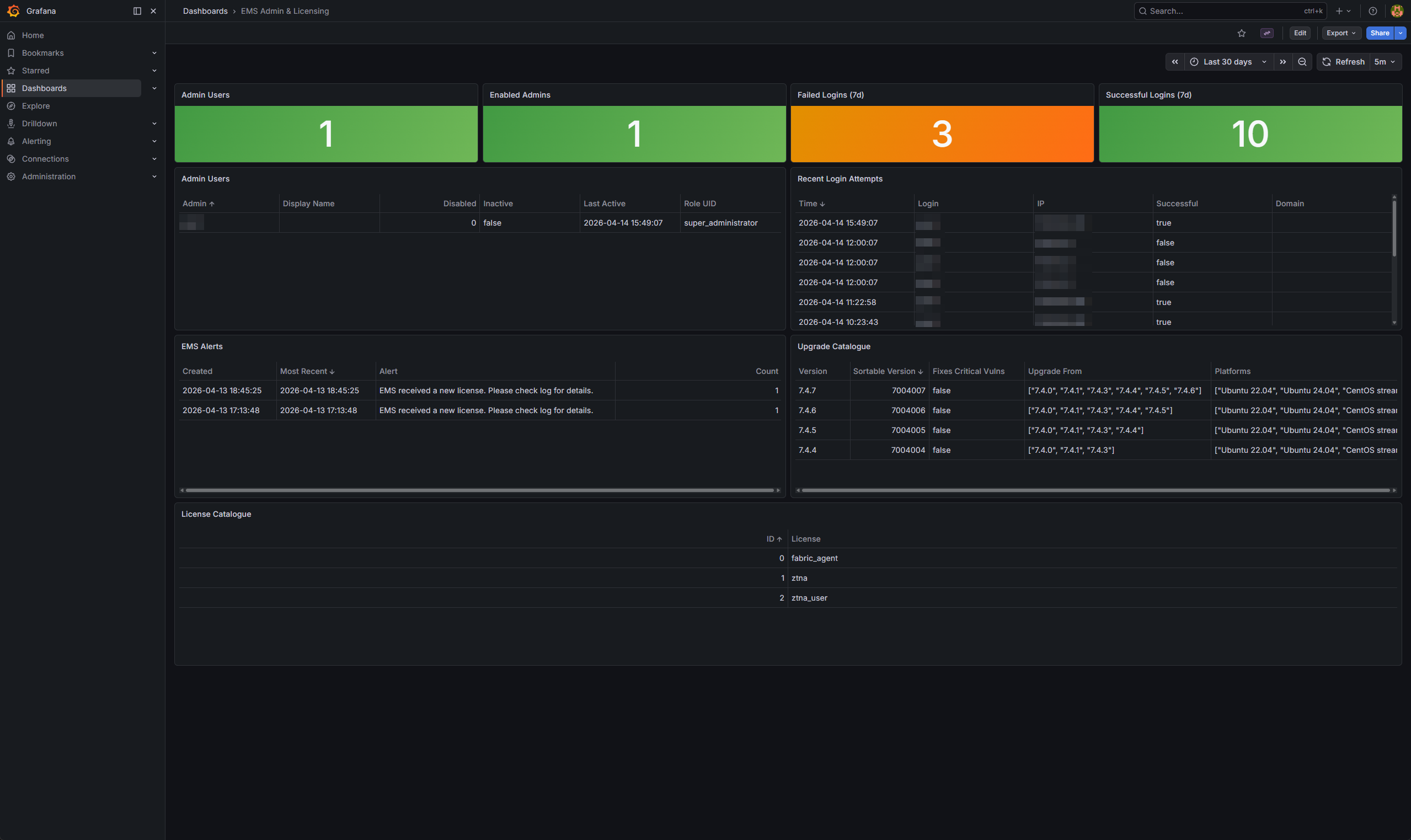
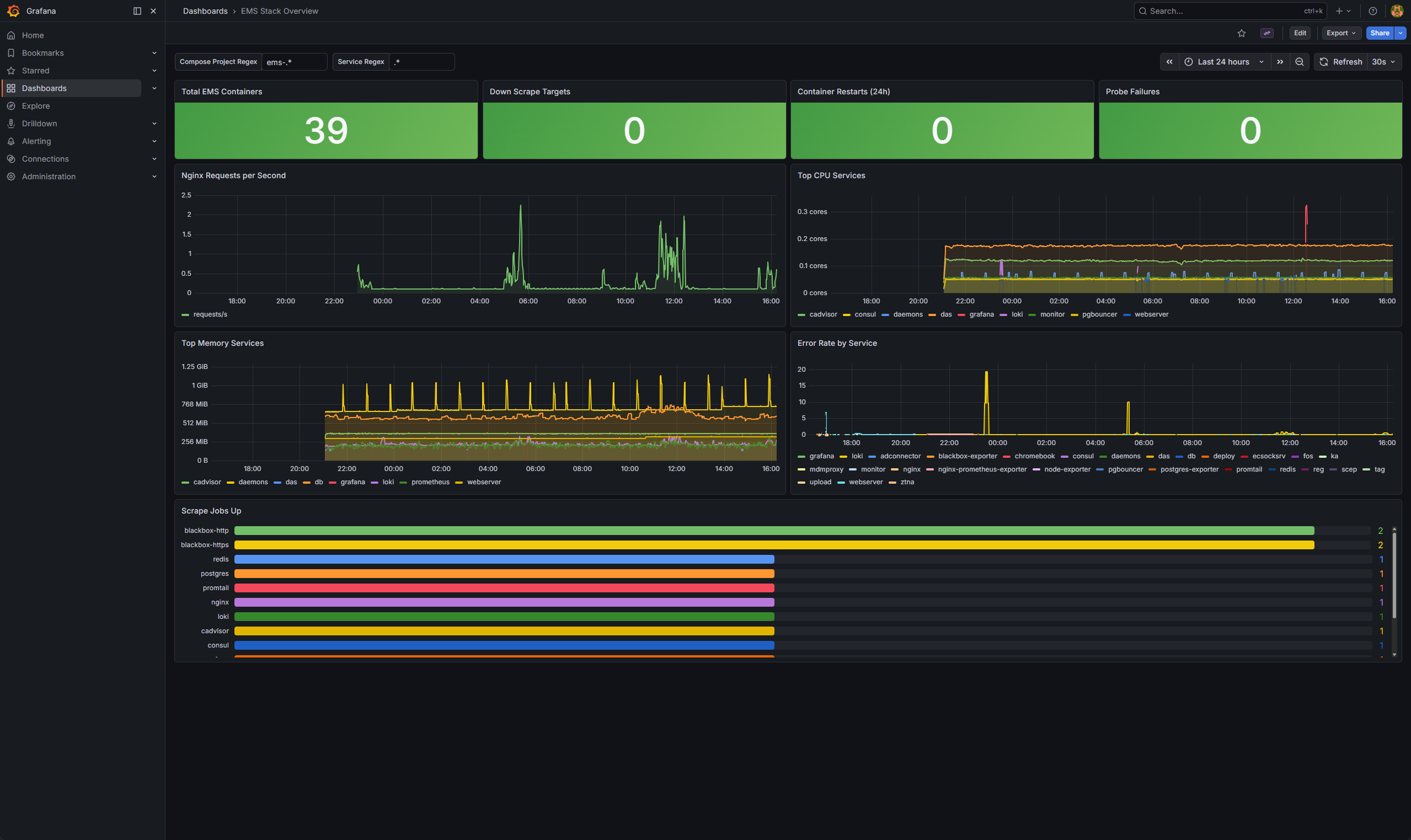
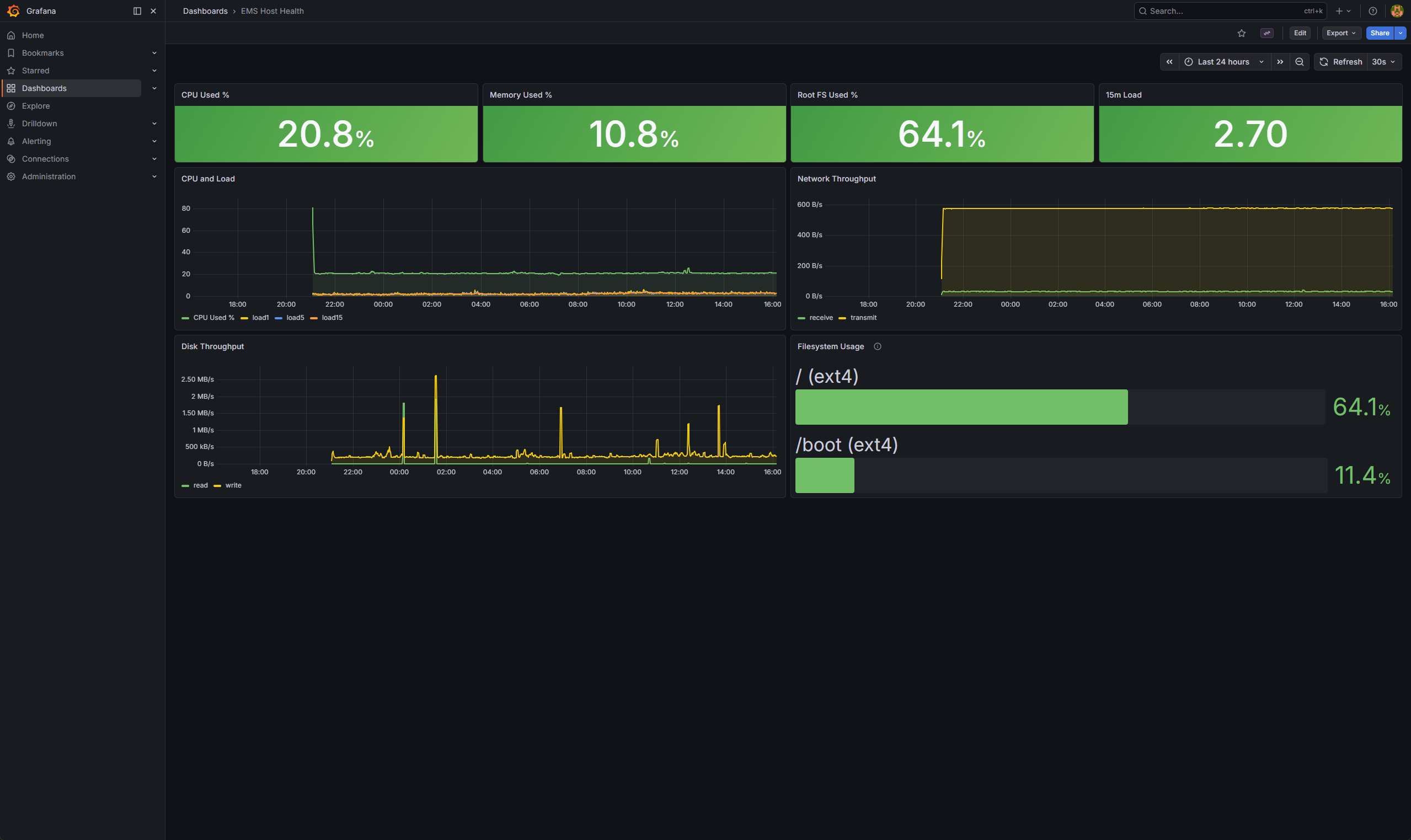
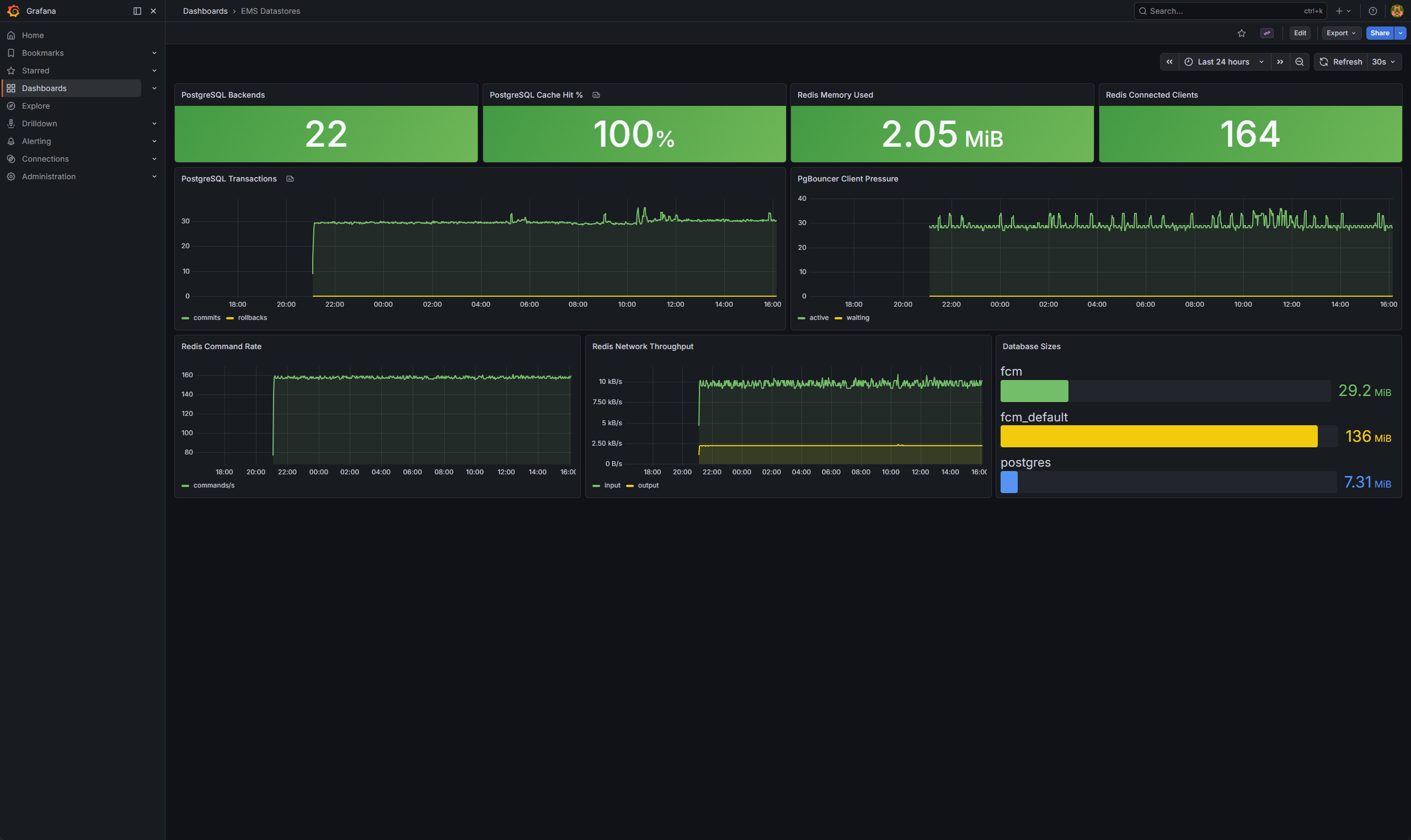
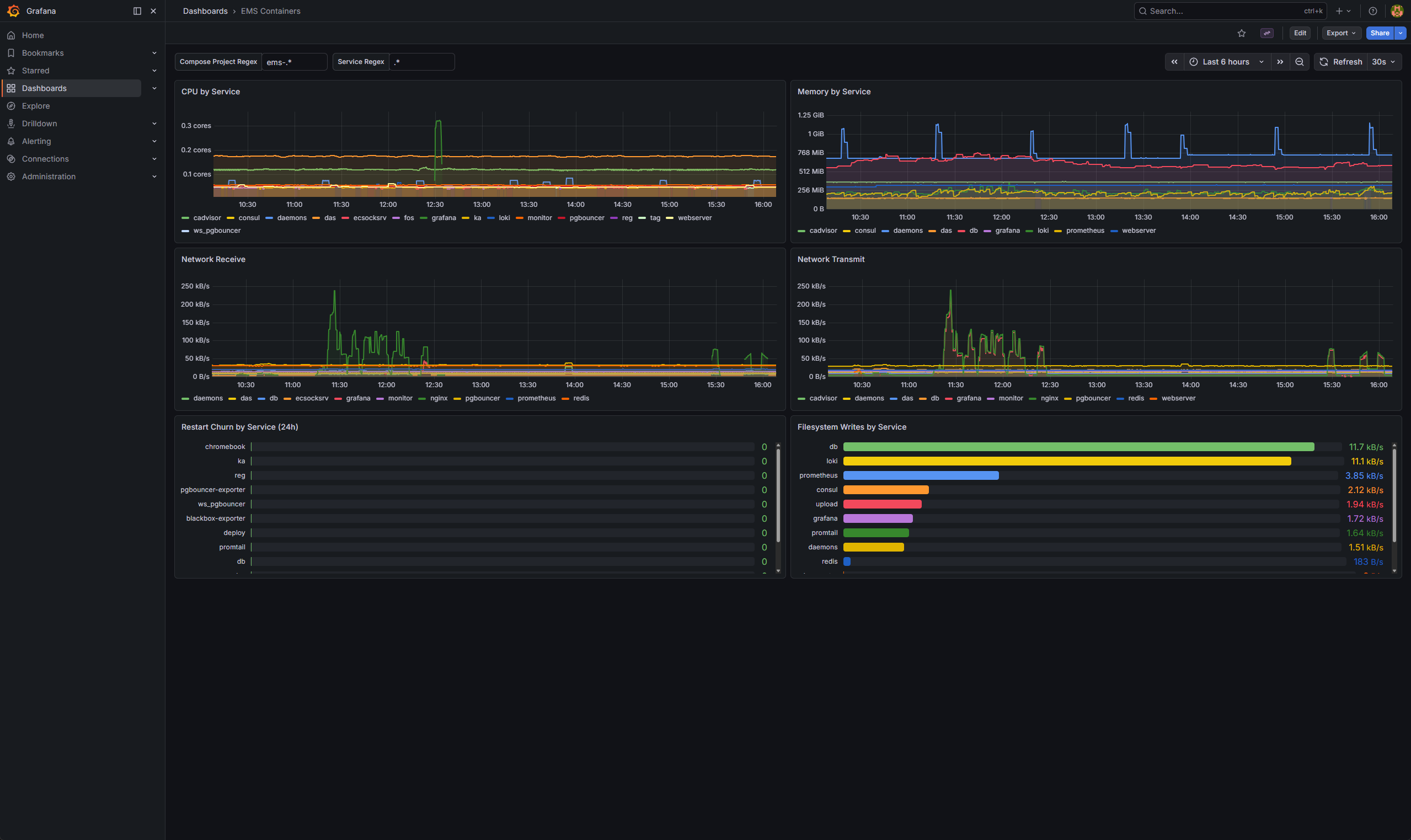
Screenshots from the deployment used for this guide:
EMS dashboards
EMS Fleet Overview
EMS Security Posture
EMS Policies & ZTNA
EMS Admin & Licensing
Platform and infrastructure dashboards
EMS Stack Overview
EMS Host Health
EMS Datastores
EMS Containers
Control plane and proxy dashboards
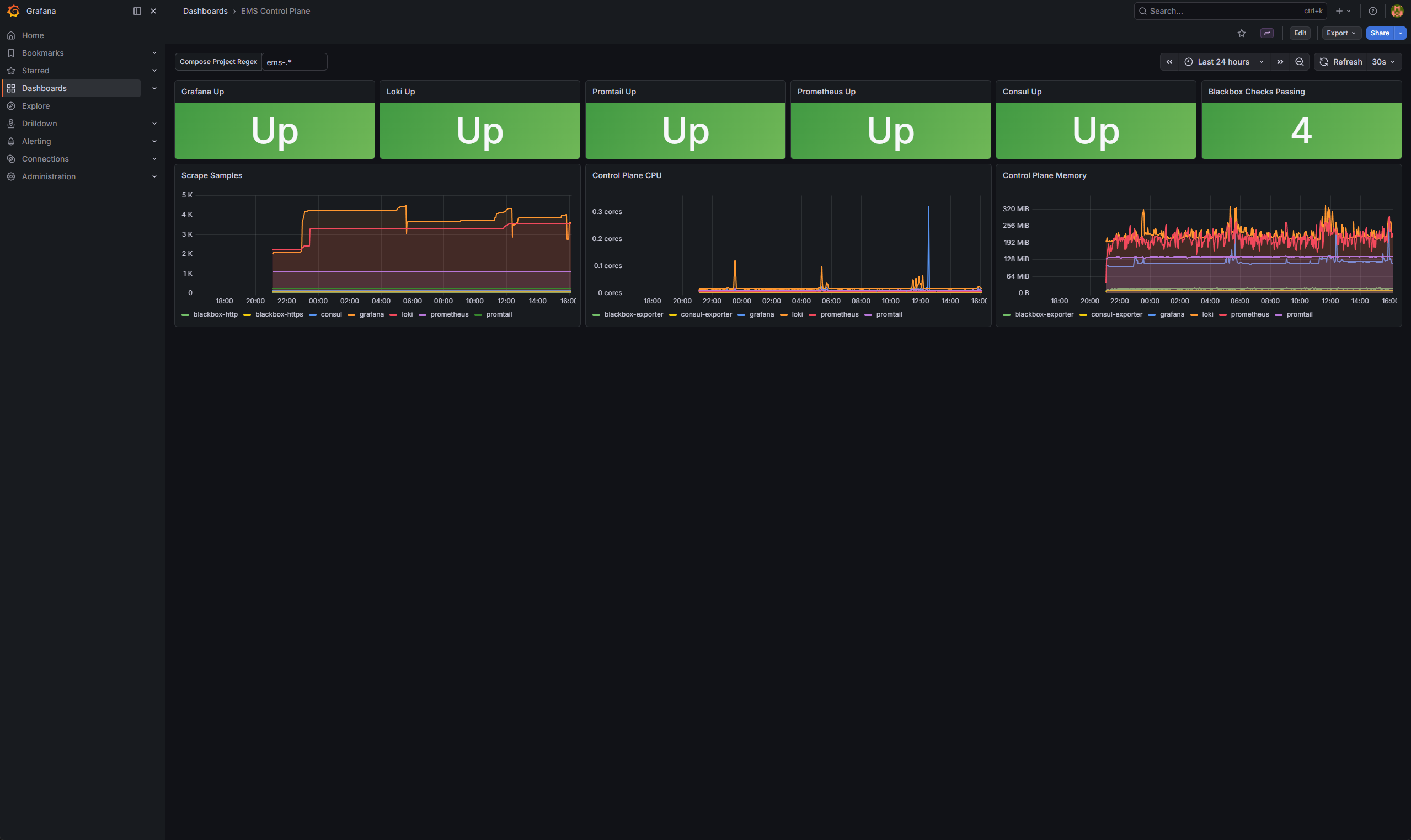
EMS Control Plane
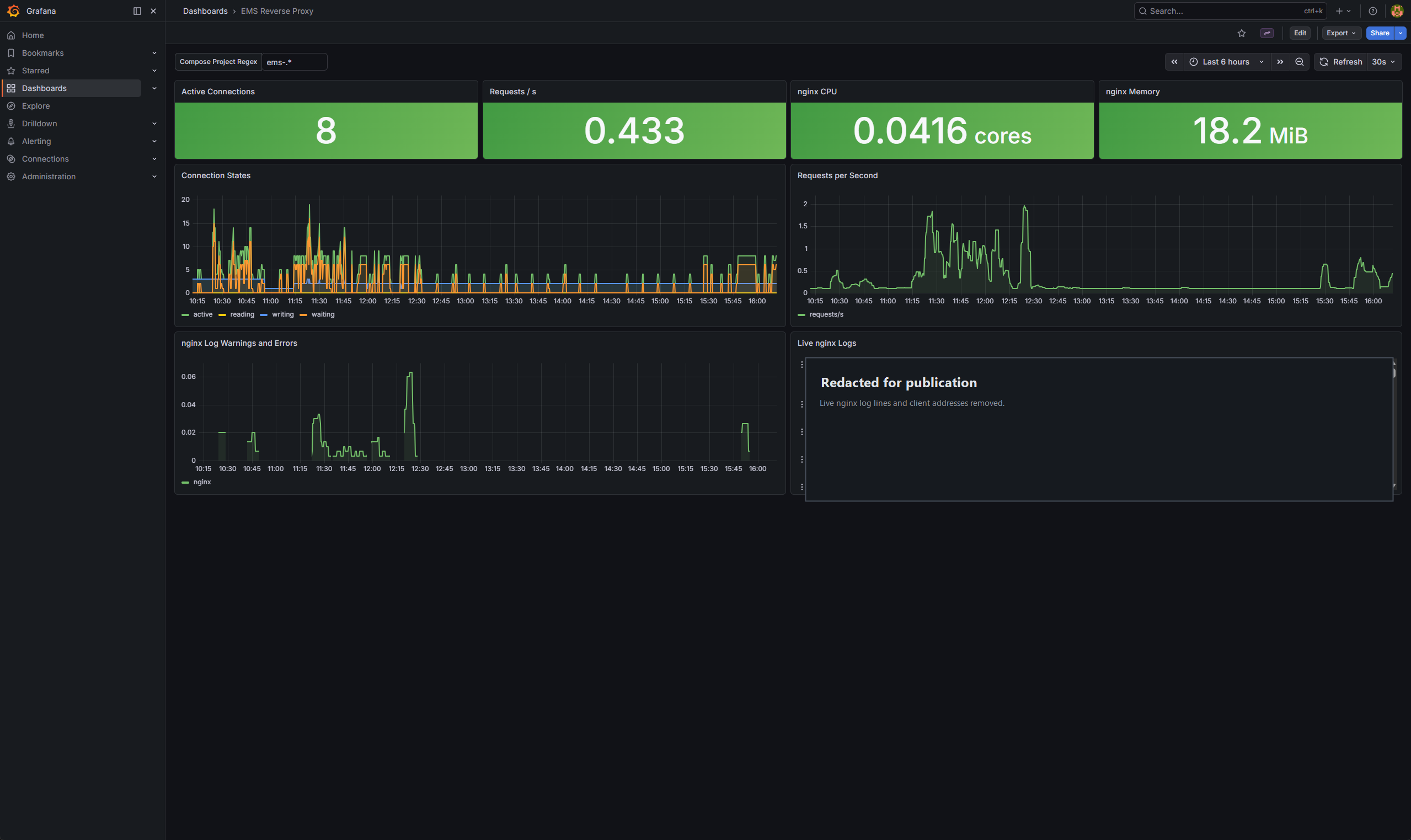
EMS Reverse Proxy
EMS Service Maps
The first two diagrams show the 7.4.7 docker-compose.yaml baseline. The third shows the added observability layer.
1. Vanilla Service Map
All 30 services are grouped below. Arrows show one declared startup dependency path, from prerequisite to dependent.
Open the interactive service map · View or download the SVG

2. Published Ports In The Vanilla Deployment
The baseline publishes these TCP bindings using ${EXTERNAL_IP:-0.0.0.0}. Host and upstream firewalls control access to these listeners. Grafana, Loki, PostgreSQL and the added metrics services have no host-published ports here.
Open the interactive port map · View or download the SVG

3. Operator View Of The Observability Layer
nginx serves EMS and proxies /grafana/. Grafana queries fcm, fcm_default, Loki and Prometheus. Promtail sends container logs to Loki. Prometheus scrapes service, host and container metrics and collects probes through blackbox-exporter; the nginx exporter reads the internal stub_status listener.
Open the interactive operator view · View or download the SVG

Project Layout
After the configuration changes below, the override mounts Grafana provisioning, dashboard JSON, a static Prometheus configuration and the nginx template. The added services are Prometheus, its exporters and blackbox-exporter:
FortiClientEMS-DockerDash/ docker-compose.override.yml nginx/ nginx.conf prometheus/ blackbox.yml prometheus.yml grafana/ provisioning/ dashboards/ dashboards.yml datasources/ loki.yml metrics.yml dashboards/ *.jsonBefore You Begin
You need:
- a working FortiClient EMS 7.4.7 Compose deployment with a local PostgreSQL database
- shell access to edit
.env, nginx and Compose files - a DNS name and valid TLS certificate for the EMS reverse proxy; private reachability is sufficient
Back up the configuration and Grafana state before applying the override. It can recreate Grafana and nginx, briefly interrupting dashboards and EMS web access; EMS itself does not need rebuilding.
Step 1: Clone The Project Beside The EMS Compose Files
Clone the project beside the EMS Compose file:
cd /home/<ems-admin-user>git clone https://github.com/user01010111/FortiClientEMS-DockerDash.git FortiClientEMS-DockerDashDirectory layout:
/home/<ems-admin-user>/docker-compose.yaml/home/<ems-admin-user>/.env/home/<ems-admin-user>/FortiClientEMS-DockerDash/Step 2: Add Two Variables To .env
Append these values to the EMS .env file:
FQDN=<your-ems-fqdn>GF_ADMIN_PASSWORD=<strong-grafana-password>The lab uses POSTGRES_PASSWORD and the postgres account for database access. For a shared Grafana instance, use a dedicated account with SELECT-only access to the required tables.
GF_SECURITY_ADMIN_PASSWORD sets the initial Grafana administrator password. Reset an existing account through Grafana; changing .env only affects initial setup.
Prometheus scrapes Grafana directly inside the Docker network. Step 5 uses a static configuration without credentials, and Step 6 blocks the metrics path at nginx. Grafana has separate metrics authentication settings if authenticated internal scraping is required.
Step 3: Add A Compose Override
Symlink the override into the EMS compose root:
cd /home/<ems-admin-user>ln -s FortiClientEMS-DockerDash/docker-compose.override.yml docker-compose.override.ymlCompose merges it automatically with Fortinet’s docker-compose.yaml. The Grafana section supplies the missing database variables and mounts provisioning and dashboard files:
services: grafana: environment: EMS_DB_HOST: db EMS_DB_PORT: "5432" EMS_DB_USER: postgres EMS_DB_PASSWORD: "${POSTGRES_PASSWORD}" GF_SERVER_SERVE_FROM_SUB_PATH: "true" GF_SERVER_ROOT_URL: "https://${FQDN}/grafana/" GF_SECURITY_ADMIN_PASSWORD: "${GF_ADMIN_PASSWORD}" GF_METRICS_ENABLED: "true" volumes: - ./FortiClientEMS-DockerDash/grafana/provisioning/datasources:/etc/grafana/provisioning/datasources:ro - ./FortiClientEMS-DockerDash/grafana/provisioning/dashboards:/etc/grafana/provisioning/dashboards:ro - ./FortiClientEMS-DockerDash/grafana/dashboards:/var/lib/grafana/dashboards:roStep 4: Fix Grafana Datasource Provisioning
The stock provisioning references EMS_DB_* variables that the baseline does not pass to Grafana. Step 3 supplies them. Replace the files in the cloned project with the following contents:
grafana/provisioning/datasources/loki.yml
apiVersion: 1
datasources:  - name: Loki    uid: ems-loki    type: loki    url: http://loki:3100    isDefault: true    access: proxy
  - name: fcm    uid: ems-fcm    type: postgres    access: proxy    url: "$EMS_DB_HOST:$EMS_DB_PORT"    database: fcm    user: "$EMS_DB_USER"    secureJsonData:      password: "$EMS_DB_PASSWORD"    jsonData:      database: fcm      sslmode: disable      postgresVersion: 1500      timescaledb: false
  - name: fcm_default    uid: ems-fcm-default    type: postgres    access: proxy    url: "$EMS_DB_HOST:$EMS_DB_PORT"    database: fcm_default    user: "$EMS_DB_USER"    secureJsonData:      password: "$EMS_DB_PASSWORD"    jsonData:      database: fcm_default      sslmode: disable      postgresVersion: 1500      timescaledb: false
grafana/provisioning/datasources/metrics.yml
apiVersion: 1
datasources:  - name: Prometheus    uid: ems-prometheus    type: prometheus    access: proxy    url: http://prometheus:9090    jsonData:      httpMethod: POST
Keep the datasource UIDs: the dashboards reference them. jsonData.database selects the PostgreSQL database.
Grafana’s $VAR substitution form preserves dollar signs in passwords without a second expansion. See Grafana provisioning.
Step 5: Add Prometheus And The Exporters
Pin the added container images to the versions or digests used in your deployment. cAdvisor runs privileged and mounts host paths; keep Grafana and the collectors on the management network.
Replace the entire prometheus service in FortiClientEMS-DockerDash/docker-compose.override.yml with this block. It mounts the configuration directly and runs the Prometheus binary:
prometheus: image: prom/prometheus restart: always networks: - forticlientems volumes: - ./FortiClientEMS-DockerDash/prometheus/prometheus.yml:/etc/prometheus/prometheus.yml:ro - prometheus-data:/prometheus entrypoint: ["/bin/prometheus"] command: - --config.file=/etc/prometheus/prometheus.yml - --storage.tsdb.path=/prometheusKeep the prometheus-data volume declaration and the other exporter services. The old template and entrypoint.sh are no longer used.
The PostgreSQL exporter's DATA_SOURCE_NAME is a connection URI. Percent-encode reserved characters in its password component, as described in PostgreSQL's URI format.
Save the following as FortiClientEMS-DockerDash/prometheus/prometheus.yml. It covers Prometheus, Grafana, Loki, Promtail, the exporters and four internal probes:
prometheus/prometheus.yml
global:  scrape_interval: 30s  evaluation_interval: 30s
scrape_configs:  - job_name: prometheus    static_configs:      - targets: ["prometheus:9090"]
  - job_name: node    static_configs:      - targets: ["node-exporter:9100"]
  - job_name: cadvisor    static_configs:      - targets: ["cadvisor:8080"]
  - job_name: loki    static_configs:      - targets: ["loki:3100"]    metrics_path: /metrics
  - job_name: promtail    static_configs:      - targets: ["promtail:9080"]    metrics_path: /metrics
  - job_name: grafana    static_configs:      - targets: ["grafana:3000"]    metrics_path: /grafana/metrics
  - job_name: nginx    static_configs:      - targets: ["nginx-prometheus-exporter:9113"]
  - job_name: postgres    static_configs:      - targets: ["postgres-exporter:9187"]
  - job_name: redis    static_configs:      - targets: ["redis-exporter:9121"]
  - job_name: pgbouncer    static_configs:      - targets: ["pgbouncer-exporter:9127"]
  - job_name: consul    static_configs:      - targets: ["consul-exporter:9107"]
  - job_name: blackbox-https    metrics_path: /probe    params:      module: [http_2xx_insecure]    static_configs:      - targets:          - https://nginx/          - https://nginx/grafana/login    relabel_configs:      - source_labels: [__address__]        target_label: __param_target      - source_labels: [__param_target]        target_label: instance      - target_label: __address__        replacement: blackbox-exporter:9115
  - job_name: blackbox-http    metrics_path: /probe    params:      module: [http_2xx]    static_configs:      - targets:          - http://deploy:8010/          - http://webserver:8000/    relabel_configs:      - source_labels: [__address__]        target_label: __param_target      - source_labels: [__param_target]        target_label: instance      - target_label: __address__        replacement: blackbox-exporter:9115
The four probes check internal endpoints on the Compose network. http_2xx_insecure skips TLS verification. Add a certificate-verifying probe against the EMS FQDN to monitor external access and certificate validity.
Step 6: Patch nginx
Mount /etc/nginx/nginx.conf.template, which EMS uses to render /etc/nginx/nginx.conf at startup. Start with the template from your exact EMS image and preserve its EMS locations. The repository copy comes from ems_nginx:7.4.7.2194 and may differ from other releases.
Add:
- a
/grafana/reverse proxy block - a
/grafana/api/live/WebSocket block ws: wss:in theconnect-srcCSP- an internal-only listener on
:18080exposingstub_status
Keep port 18080 unpublished and match the allow-list to the exporter’s Docker subnet. This example permits 172.16.0.0/12:
Example stub_status listener:
server {    listen 18080;    server_name localhost;    access_log off;
    location = /stub_status {        stub_status;        allow 127.0.0.1;        allow 172.16.0.0/12;        deny all;    }}
Add these locations to the existing HTTPS server block. The metrics rule blocks requests through nginx; Prometheus reaches Grafana directly on the Docker network:
location ^~ /grafana/metrics {    deny all;}
location /grafana/ {    proxy_pass         http://grafana:3000/grafana/;    proxy_set_header   Host              $host;    proxy_set_header   X-Real-IP         $remote_addr;    proxy_set_header   X-Forwarded-For   $proxy_add_x_forwarded_for;    proxy_set_header   X-Forwarded-Proto $scheme;    proxy_set_header   X-Forwarded-Port  $server_port;    proxy_set_header   X-Forwarded-Host  $host;    proxy_read_timeout    600;    proxy_connect_timeout 600;}
location /grafana/api/live/ {    proxy_pass         http://grafana:3000/grafana/api/live/;    proxy_http_version 1.1;    proxy_set_header   Upgrade           $http_upgrade;    proxy_set_header   Connection        "upgrade";    proxy_set_header   Host              $host;    proxy_set_header   X-Real-IP         $remote_addr;    proxy_set_header   X-Forwarded-For   $proxy_add_x_forwarded_for;    proxy_set_header   X-Forwarded-Proto $scheme;    proxy_read_timeout 3600;}
Step 7: Add Dashboard Provisioning
Use this dashboard provider:
apiVersion: 1
providers:  - name: ems-custom-dashboards    orgId: 1    type: file    disableDeletion: false    updateIntervalSeconds: 30    allowUiUpdates: true    options:      path: /var/lib/grafana/dashboards
Grafana polls JSON files in grafana/dashboards/ every 30 seconds. UI edits stay in Grafana’s database, are not written back to the files, and can be overwritten by provisioning.
Step 8: Preserve Existing Grafana State
Provisioning creates or updates matching datasources; it does not normally require a database reset. If Grafana fails, check its logs and fix the reported file, UID or credential problem first.
For a deliberate clean reset, stop Grafana and back up its data volume before moving grafana.db aside. This SQLite database holds users, saved UI dashboards, preferences, alerting configuration and other state. The project files restore only their provisioned dashboards and datasources. See Grafana’s backup guidance.
Step 9: Start The New Services
docker compose config --quietdocker compose up -d --no-deps \ grafana \ nginx \ prometheus \ node-exporter \ cadvisor \ nginx-prometheus-exporter \ postgres-exporter \ redis-exporter \ pgbouncer-exporter \ consul-exporter \ blackbox-exporterThe template is rendered when nginx starts. If you changed the mounted template’s contents, recreate nginx explicitly:
docker compose up -d --force-recreate --no-deps nginxStep 10: Verify The Stack
From the EMS Compose directory, validate the merge and nginx syntax, then inspect Prometheus targets. config --quiet avoids printing resolved credentials:
docker compose config --quietdocker compose exec -T nginx nginx -tdocker compose exec -T prometheus \ wget -qO- http://localhost:9090/api/v1/targetsUse an FQDN reachable from the machine running curl; Docker names such as grafana resolve inside the Compose network. These GET requests use nginx’s HTTPS endpoint and prompt for the Grafana admin password. The final two commands check response headers:
curl --fail --silent --show-error --user admin \ https://<your-fqdn>/grafana/api/datasources/uid/ems-loki/healthcurl --fail --silent --show-error --user admin \ https://<your-fqdn>/grafana/api/datasources/uid/ems-fcm/healthcurl --fail --silent --show-error --user admin \ https://<your-fqdn>/grafana/api/datasources/uid/ems-fcm-default/healthcurl --fail --silent --show-error --user admin \ https://<your-fqdn>/grafana/api/datasources/uid/ems-prometheus/healthcurl --fail --silent --show-error --user admin \ 'https://<your-fqdn>/grafana/api/search?type=dash-db'curl --fail --silent --show-error -I https://<your-fqdn>/grafana/curl --fail --silent --show-error -I https://<your-fqdn>/grafana/loginGrafana’s datasource health endpoint uses GET. Check its returned status as well as the HTTP status, and confirm Grafana loads in a browser.
The public metrics URL should return 403:
curl --silent --show-error --output /dev/null --write-out '%{http_code}\n' \ https://<your-fqdn>/grafana/metricsExpected result:
- Prometheus targets are
up;probe_successis1for the synthetic checks nginx_up,pg_up,redis_up,consul_upandpgbouncer_upare1, confirming the exporters can reach their backends- datasource health checks return
OK - dashboards appear automatically
Telemetry Sources
| Telemetry plane | Best for |
|---|---|
Loki | live troubleshooting, error-rate views, noisy service detection, crash loops, log filtering by project, service, and container |
PostgreSQL | endpoint and fleet state, policy distribution, ZTNA state, user-to-endpoint relationships, alerts, admin activity, licensing metadata, vulnerability and event history |
Prometheus | host CPU, memory, load, disk, and network; container CPU, memory, filesystem, and network; nginx throughput; PostgreSQL, Redis, PgBouncer, and Consul internals; self-health for Grafana, Loki, Promtail, and Prometheus |
blackbox-exporter | internal EMS, Grafana and application endpoint checks in the supplied configuration; additional FQDN targets can test an external access path |
ZTNA-Only vs EDR-Style Deployments
Fleet counts, policies, ZTNA certificates and posture, admin activity, alerts, logs and infrastructure metrics apply to both deployment models. AV Running, AV Protected %, vulnerability details, AV scan history and software inventory depend on the enabled features and collected data.
client_vulnerabilitiescan contain detections whilevuln_detailsis empty. ShowUnknownseverity andVID <id>when details are unavailable.- If software inventory is absent, stat panels should show
0and tables remain empty. Offline > 7 DaysandAV Scans Completed (hourly)can be empty on lightly used or healthy systems. Check the underlying data before treating an empty panel as a fault.
Coverage And Limits
Available telemetry and health endpoints:
loki:3100/metricspromtail:9080/metricsgrafana:3000/grafana/metricsdeploy:8010/JSON health- PostgreSQL through SQL and exporter
- Redis through exporter
- PgBouncer through exporter
- nginx through
stub_status - Consul through
consul-exporter
In the original lab inspection, the worker listeners on 8080 and 9090 exposed no useful Prometheus metrics; other application listeners returned HTML or narrow RPC responses. Loki logs and cAdvisor metrics cover these workers. SQL dashboards query EMS tables directly, so check their queries after EMS upgrades.
Troubleshooting
| Symptom | Check or fix |
|---|---|
| nginx fails after restart | Mount /etc/nginx/nginx.conf.template, not the generated nginx.conf. See Step 6. |
| Grafana crash-loops after datasource changes | Check logs for invalid provisioning, conflicting UIDs or credential errors. Fix those first; a reset loses state and requires the backup described in Step 8. |
| Loki panels return HTTP 400 | Set queryType: "range" for metric-style LogQL, use regex-safe variable interpolation, and replace $__rate_interval with an explicit range such as [5m] where browser paths do not expand it correctly. |
SQL panels show No data despite rows in PostgreSQL | Set editorMode: "code" and rawQuery: true in the provisioned JSON. Wait for the polling interval; Grafana ignores the JSON version field when provisioning. |
PostgreSQL health is OK, but dashboards show No data | Check jsonData.database, query errors, permissions, time filters and whether the expected rows exist. The top-level database: key is retained for the recorded bundle; current Grafana provisioning uses jsonData.database. |
Grafana returns 502 through nginx | Check the template mount, then recreate nginx to clear stale upstream state after Grafana recreation. |
The dashboards use built-in Grafana panels. Extra plugins tried during the original build were removed because they added fragility without improving the dashboards.